
Yellow prints out green or White Ink looks muddy or grey.
REASONS AND SOLUTIONS:
1. Other colors of ink have back-flushed into the yellow damper
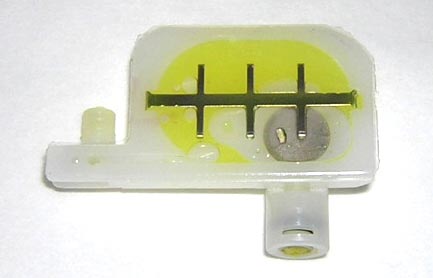
**Run several head cleanings using the Ink button on the control panel. This will flush out the contaminating colors.

Prevention: After filling all the ink colors set all valves to draw ink. Press and hold the Ink Fill button for 5 - 10 seconds. Run several head cleaning cycles after that.
Recent Articles

xTool O1 Omni Accessories Guide: OR1, RF1, LM1, BatchFlow Jig & Mats
Subscribe to Media Posts
Recommended for You
$250


$2,249.00 | $2,499.00


$70

$828.00 | $898.00


DTF Transfer Size Chart & Placement Guide for Shirts & Hoodies
Subscribe to Media Posts
Recommended for You


Prestige DTF Printer Maintenance Guide: Daily, Weekly and Long-Term Care
Subscribe to Media Posts
Recommended for You


$8,745.00


$29,957.19


$19,362.42


$20,365.25


$22,265.25