
Tray bed does not load all the way.
REASONS AND SOLUTIONS:
1. Flashing Load button indicates laser has stopped the loading
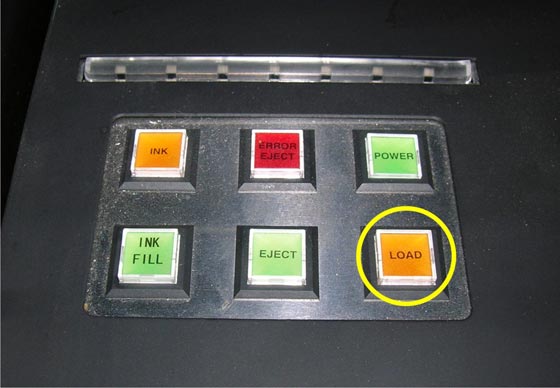
**Eject the tray bed and check the height of the platen. Adjust as necessary and reload.
Prevention: Always check the platen height.
2. Something is jamming the movement of the tray bed
**If something is jamming the tray bed a loud grinding noise will be heard. Stop the printer immediately and find the object that is causing the jam.
Prevention: Follow suggested maintenance routine.
Recent Articles

xTool O1 Omni Accessories Guide: OR1, RF1, LM1, BatchFlow Jig & Mats
Subscribe to Media Posts
Recommended for You
$250


$2,249.00 | $2,499.00


$70

$828.00 | $898.00


DTF Transfer Size Chart & Placement Guide for Shirts & Hoodies
Subscribe to Media Posts
Recommended for You


Prestige DTF Printer Maintenance Guide: Daily, Weekly and Long-Term Care
Subscribe to Media Posts
Recommended for You


$8,745.00


$29,957.19


$19,362.42


$20,365.25


$22,265.25